
34 free tools · no upload · no sign-up
Free online image tools. See the result before you download.
Compress, convert, resize, crop and edit images right in your browser. Every change shows a live preview, and your files never leave your device.
- Private by design
- Batch and ZIP
- No watermark
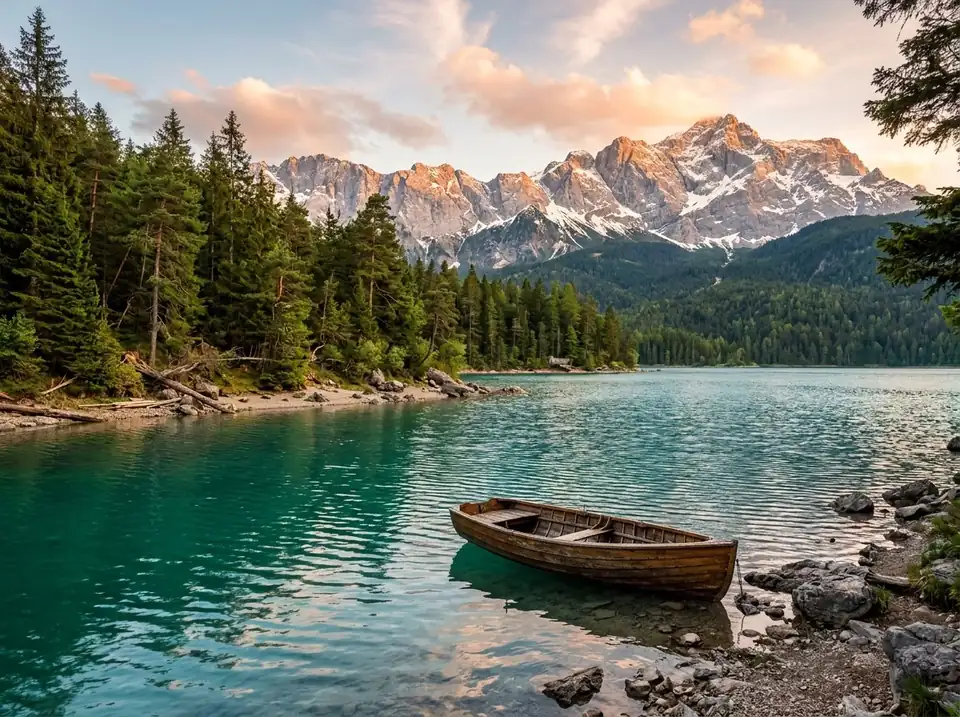 OriginalBlack & white
Drag the slider to compare. Made in your browser.Try Black & White →
Convert
Change file formats: JPG, PNG, WebP, AVIF, HEIC, SVG, PDF, ICO and Base64.
- Image ConverterConvert between JPG, PNG, WebP, AVIF and BMP.
- PNG to JPGConvert PNG images to JPG, in bulk.
- JPG to PNGConvert JPG images to PNG, in bulk.
- WebP to PNGConvert WebP images to PNG, in bulk.
- WebP to JPGConvert WebP images to JPG, in bulk.
- PNG to WebPConvert PNG images to WebP, in bulk.
- JPG to WebPConvert JPG images to WebP, in bulk.
- AVIF to JPGConvert AVIF images to JPG, in bulk.
- HEIC to JPGTurn iPhone HEIC photos into JPG or PNG.
- SVG to PNGRender SVG files to sharp PNG, JPG or WebP at any size.
- Image to PDFCombine images into one PDF document.
- Image to Base64Encode an image as a Base64 data URI for HTML or CSS.
- Base64 to ImageDecode a Base64 string back into an image file.
- Favicon GeneratorMake favicon.ico and app icons from any image.

Edit
Resize, crop, rotate, filter, watermark, blur and frame your images.
- Resize ImageChange image dimensions by pixels or percentage.
- Crop ImageCrop freely or to 1:1, 4:3, 16:9 and more.
- Rotate ImageRotate by 90° steps or any angle.
- Flip ImageMirror images horizontally or vertically.
- Photo Filters & AdjustBrightness, contrast, saturation, blur and filters.
- Black & WhiteConvert a photo to black and white.
- Add WatermarkStamp text or a logo on your images.
- Border & Rounded CornersAdd a border, padding, rounded corners or a shadow.
- Blur & PixelateHide faces, plates or text with blur or pixels.
- Remove Background ColorMake a solid background color transparent.

Optimize
Make images smaller and cleaner for the web.

Create
Collages, grids, memes, favicons, social posts and placeholders.
- Meme GeneratorAdd classic top and bottom captions to any image.
- Merge Images / CollageJoin images side by side, stacked or in a grid.
- Split Image / GridCut an image into a grid of tiles.
- Social Media ResizerInstagram, YouTube, X, Facebook, LinkedIn sizes.
- Placeholder ImageGenerate dummy images of any size and color.

Inspect
Read metadata, pick colors and extract palettes.
Why use these tools?
Private by design
Your images are never uploaded. All the work happens in your browser with JavaScript and the Canvas API.
Fast batches
Drop dozens of files at once, process them in seconds and download everything as a single ZIP.
Free, no watermark
No account, no daily limits, no logo stamped on your images. Just open a tool and use it.
Frequently asked questions
Are my images uploaded to a server?
No. Every tool on this site runs inside your browser with JavaScript. Your files never leave your device, which also makes processing instant.
Is it really free?
Yes. There is no sign-up, no watermark and no limit on the number of files. The site is supported by ads.
Does it work on my phone?
Yes. All tools work in modern mobile browsers on iPhone and Android, although very large images may be slow on older phones.